
A few days ago, I released FileVoyager version 25.12.5.
If you have not checked it yet, the update is already available.
This release is significantly larger than usual. In fact, it is large enough that a single blog post would not do it justice. I will therefore write several posts to properly cover the new features and improvements introduced in this version.
For now, I want to give an overview of the most important changes, and the best proof of the scope of this release is simply the size of the changelog itself.
Major New Features and Improvements
Version 25.12.5 brings a number of new tools, deep internal changes, and long-standing improvements, including:
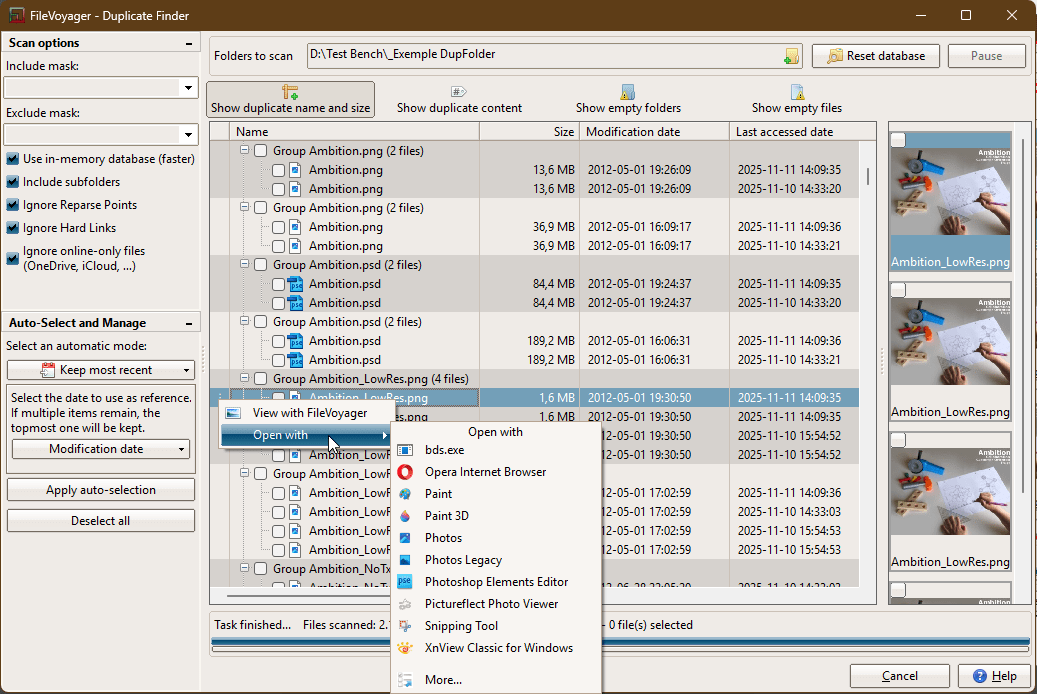
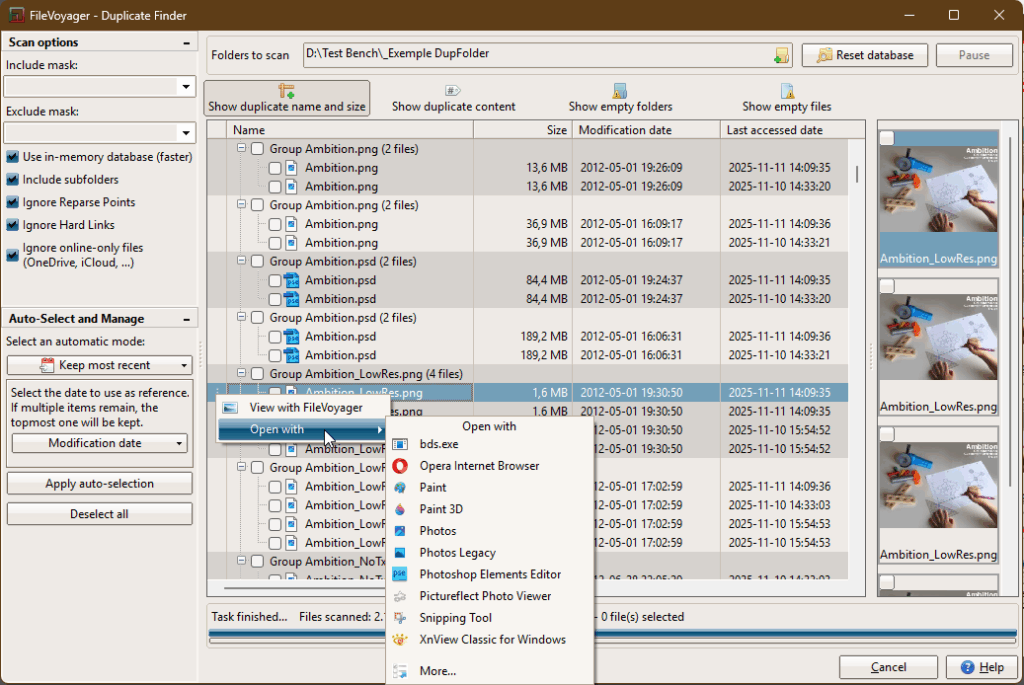
Duplicate File Finder
A brand new tool to help identify and remove unnecessary duplicate files, something that has been requested for a long time.
If you’re running 25.12.5 and want to know how to use it, take a look at the documentation page.
Viewer Enhancements
The viewer received major upgrades:
- A minimap for text files that are displayed with syntax highlighting.
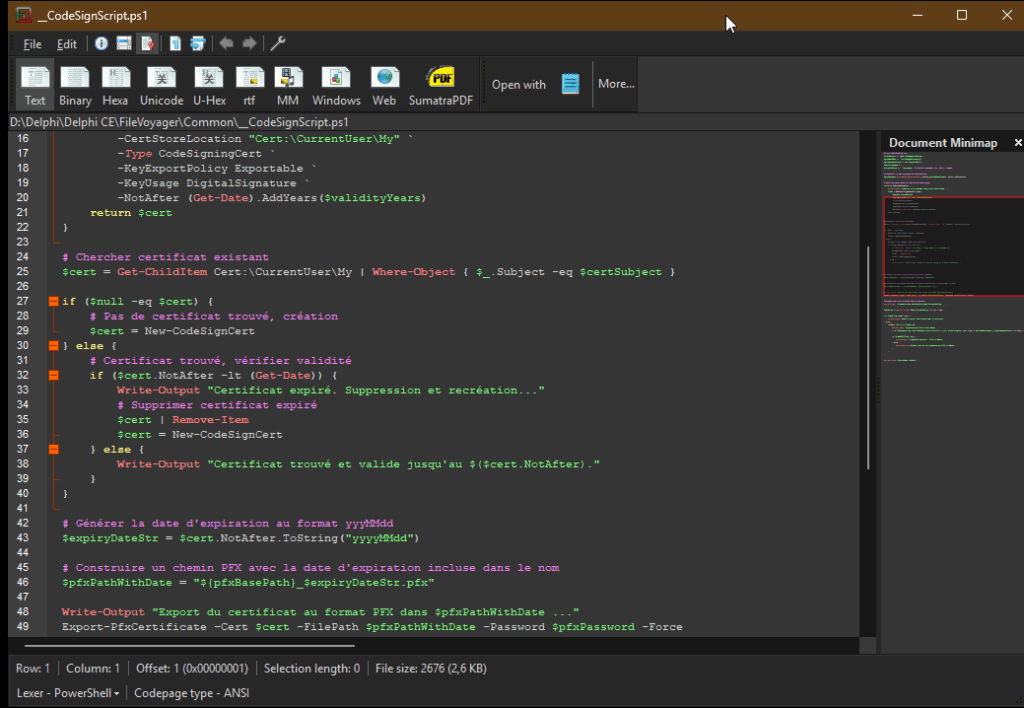
- Expanded syntax highlighting support, adding several new languages.
- Map tile caching for media files with geolocation, including automatic cache cleanup.
Locked File Detection
When a preview, or an operation fails because a file is locked, FileVoyager now shows which process is holding the lock, and offers the possibility to unlock it. This relies on Windows’ Restart Manager and significantly improves usability in real-world scenarios.

Navigation and Browsing Improvements
- Jump-to-item by typing is now supported in all views.
- Support for very large disks, up to multiple petabytes.
- Better handling of known folders and libraries, using modern Windows APIs.
Application Integration and UI Improvements
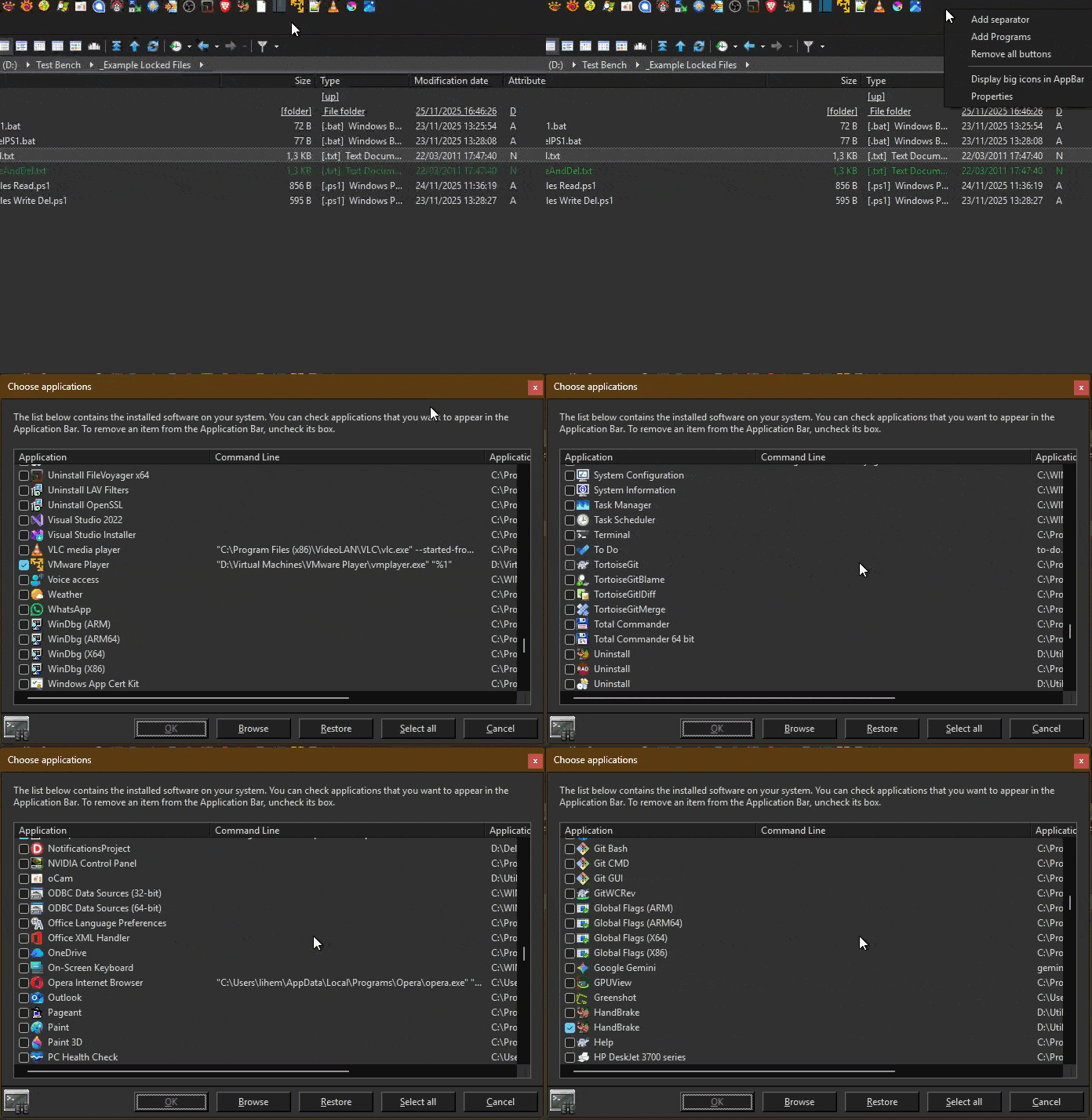
- In the Choose Application (right-click on AppBar > Add Programs…), installed applications are now listed using
shell:appsFolder, improving detection of modern apps.
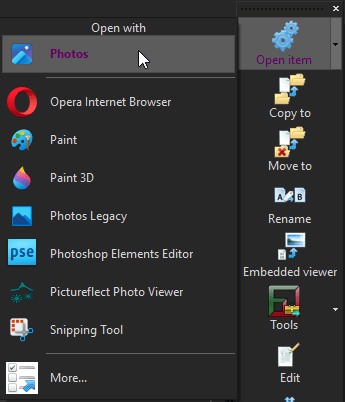
- “Open With” now highlights the default application clearly.
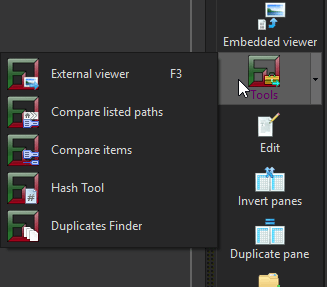
- FileVoyager tools are more visible and accessible from both the central bar and the File menu.
- Numerous UI and theming improvements across the application.
Performance and Reliability Work
- Search has been significantly optimized, especially when using multiple masks.
- File operations and keyboard shortcuts have been reworked in critical areas.
- Several deep fixes addressing memory corruption, input handling, and multi-screen behavior.
More to Come
This post is only a high-level introduction. Many of the changes in 25.12.5 deserve a closer look, especially the new tools and internal refactoring work.
In the coming days, I will publish additional posts to dive into specific areas of this release and explain the design decisions behind them.
As always, thank you for using FileVoyager and for the feedback that helps shape each new version – it’s instrumental in helping me refine and enhance FileVoyager! Download the latest update, and feel free to share your experience with us.
And don’t forget, if you like FileVoyager and want to contribute to its development:
- You can help by buying me a coffee



 , because I work on it late at night
 - You can help by creating, maintaining or correcting translation files. Head to this article, your help will be welcome.
- You can help by creating, maintaining or correcting tutorials in the forum
- You can help by liking, following or talking about FileVoyager in social networks, or in blog posts, or in articles.
- You can help by reporting bugs or wrong behaviors.
- You can help by requesting features.
- You can help by participating in the forum.
- Or you can still help by buying me a coffee , because I still work on it late at night
And if none of the above suits you, just use FileVoyager and if you enjoy it, I am rewarded.
You must be logged in to post a comment.